Archived project · 2007 – 2015
Build Windows software without writing code.
SoftwareZator was my largest solo project and the reason I learned to ship. I started it at 14: a low-code tool that let people assemble real Windows applications by dragging, configuring, and clicking instead of typing code. At its peak it had more than 300,000 daily users, mostly across French-speaking Europe and Africa.
It is no longer maintained. This page keeps its story and screenshots around.

- 300k+daily users at its peak
- ~400built-in functions and plugins
- 150+apps built by the community
- 8 yrsactive, from 2007 to 2015
The story
I googled “make software without coding.” Then I built it.
In 2005, when I was 12, I started to be interested in making website and software. JavaScript and Visual Basic felt complicated, so I searched Google for "how to make software without coding" but there was no good answer. When I turned 14, after two years of learning by trial and error, I decided to build the tool I wished existed: a visual editor where you draw a window, define what each button does from a list of actions, and press build to get a real executable app on Windows. No syntax to memorise, no cryptic compiler output, just the shape of a program.
Over eight years it grew into a small ecosystem: a function editor, a plugin store, an installer builder, a debugger and even voice control trying to mimic AI before Machine Learning and AI was a thing. People used it for school projects, little utilities, and a few shareware businesses. I eventually moved on to other things and SoftwareZator stopped in 2015. The source is on GitHub if you want to see how a teenager architected a low-code IDE in WinForms.
SoftwareZator is a real development tool for people who want to create applications without coding. A good way to get a foot in the stirrup before moving on to environments like Microsoft Visual Studio.
What it did
One tool, around 400 things it could build.
-
Windows designer
Draw an app's interface with the mouse. Drag, drop, and resize controls onto a real window.
-
Functions editor
Compose logic from a list of actions and their settings. No syntax, no compiler errors to decode.
-
Actions & plugins
A plugin model exposed roughly 400 actions, so the tool kept growing without anyone touching its code.
-
Advanced installer
Generate a Windows Installer package for your project in a few minutes.
-
Voice recognition
Describe what you wanted a function to do out loud and get matching actions back.
-
Debugger
Step through runtime errors with contextual help on how to fix each one.
-
Databases
Connect to SQL Server, MySQL, or Access, locally or remotely, in a few clicks.
-
Export to Visual Studio
Outgrew the tool? Export a project to VB.NET and keep going in Visual Studio.
In motion
A walkthrough from 2012.
Tutorial in French.
Screenshots
What it looked like.
-
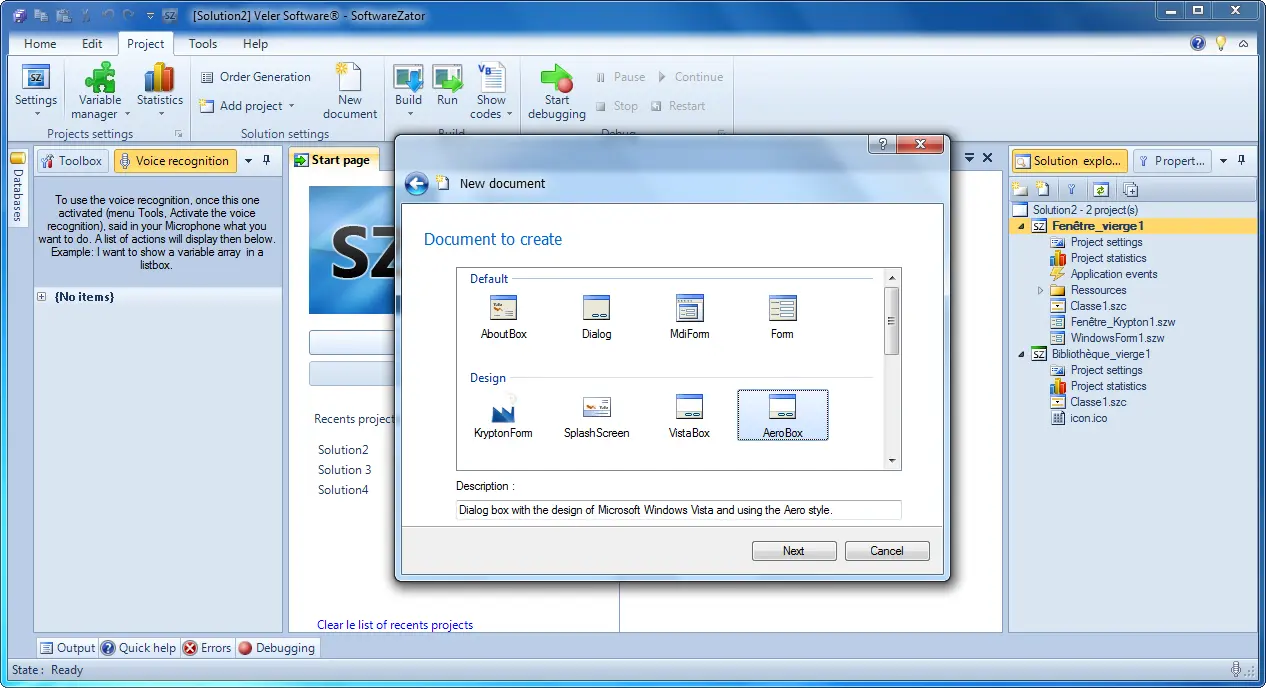
New-document templates, so you start from something real. -
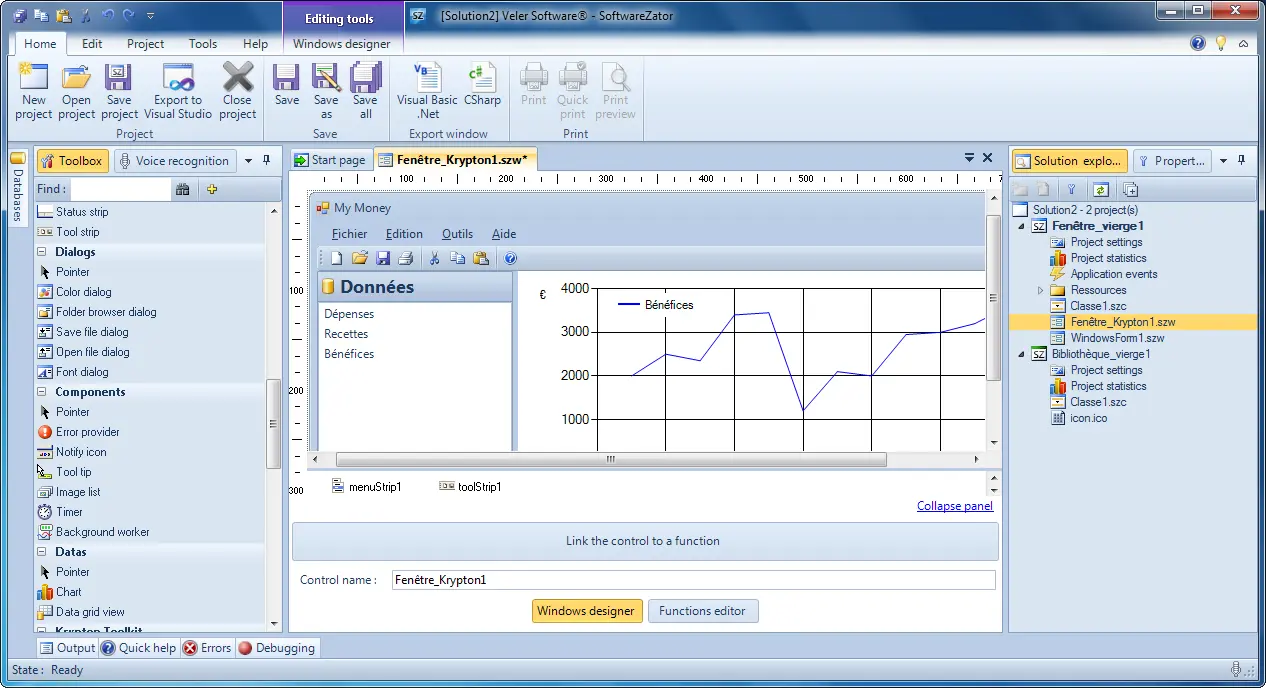
The Windows designer, drawing an interface entirely with the mouse. -
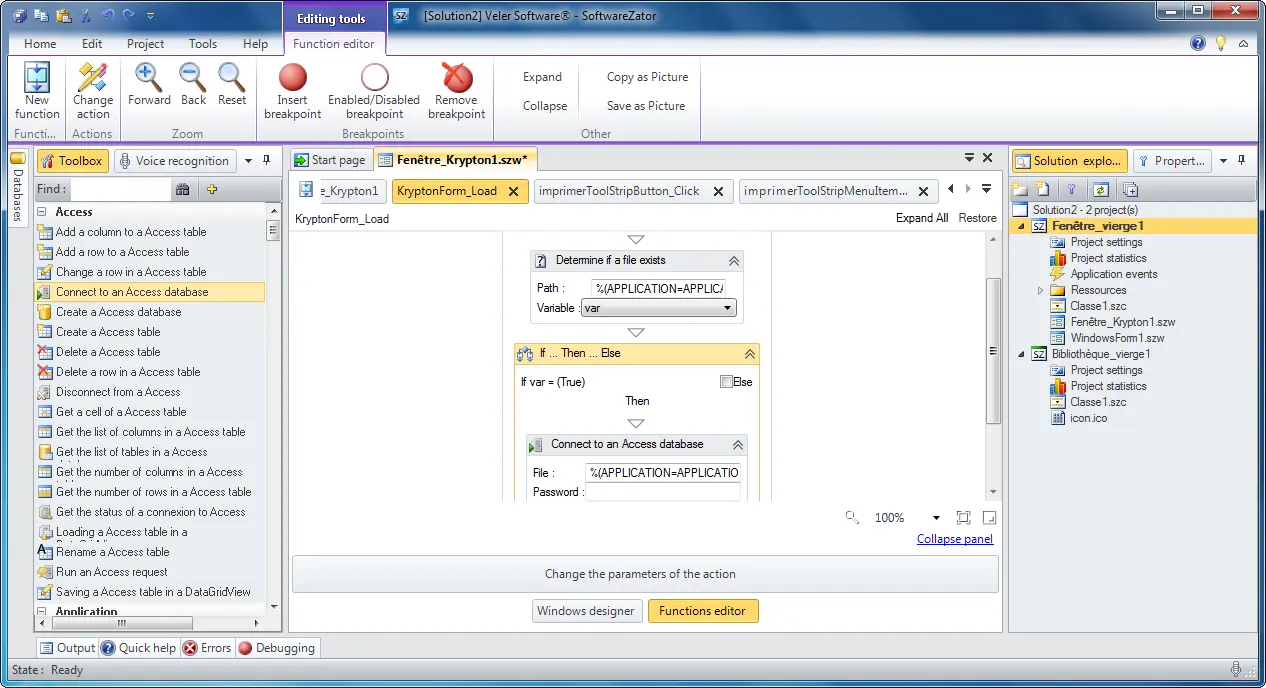
The functions editor, where you assemble what the software does. -
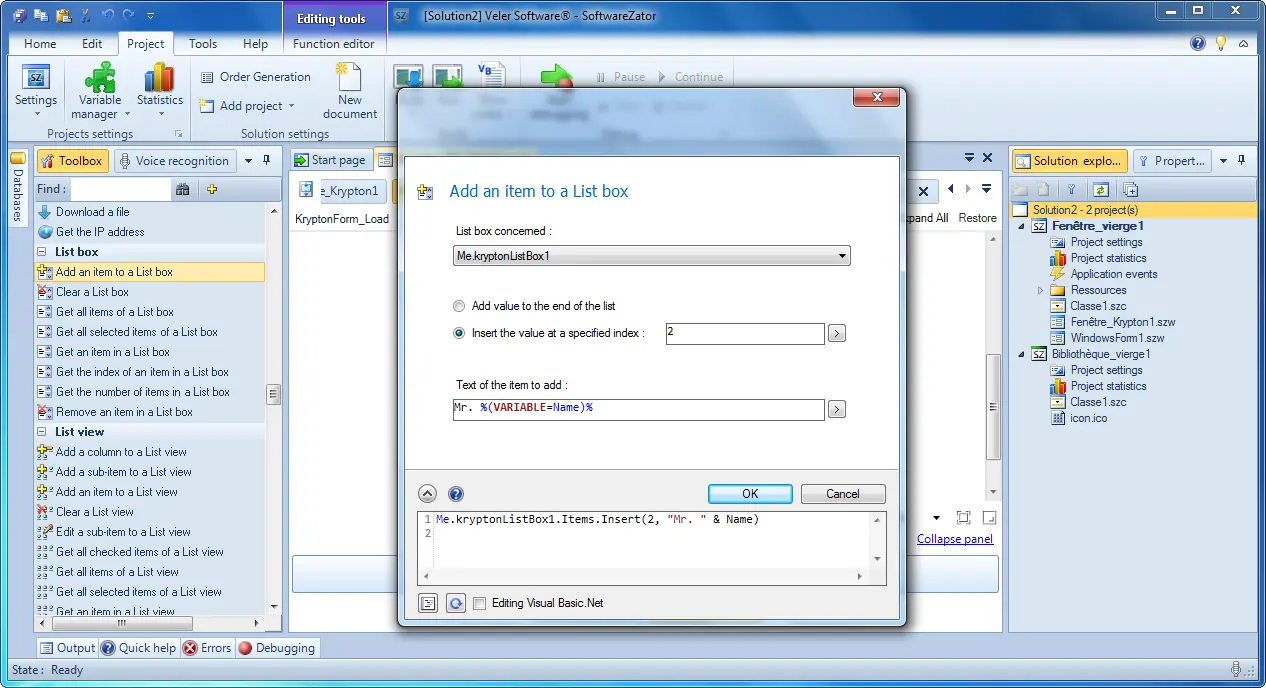
Customisable actions that drive each function. -
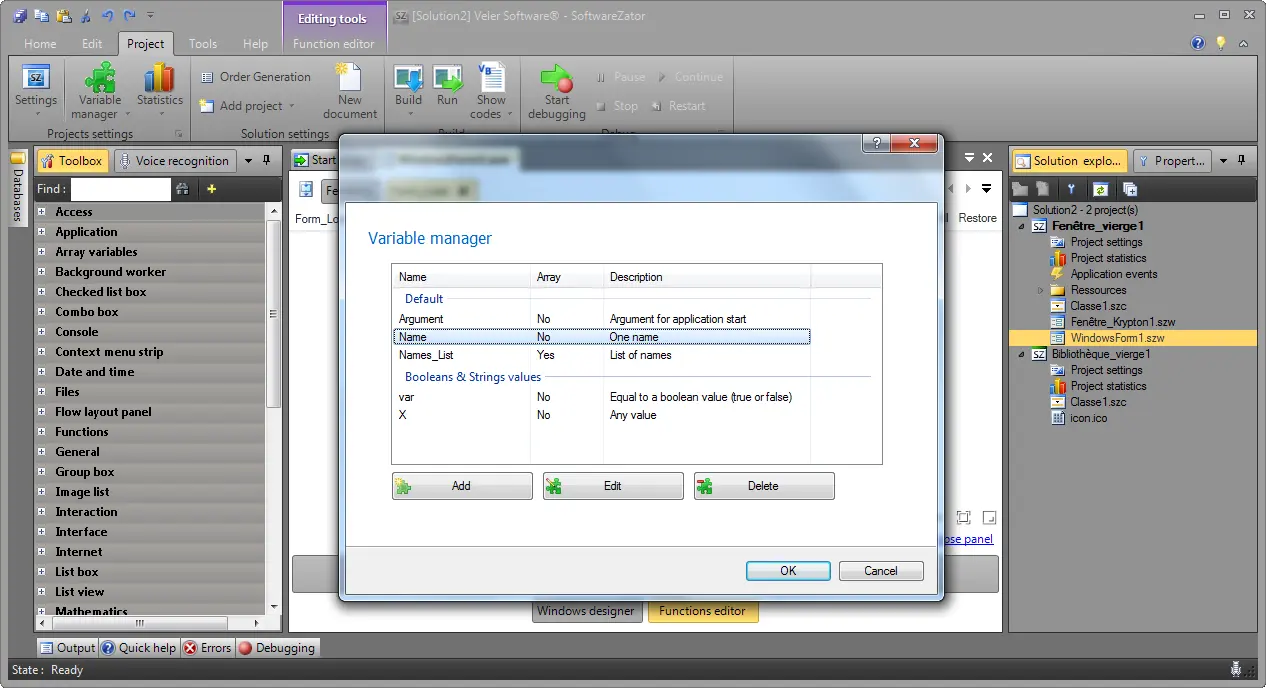
The variables manager, where a project keeps its state. -
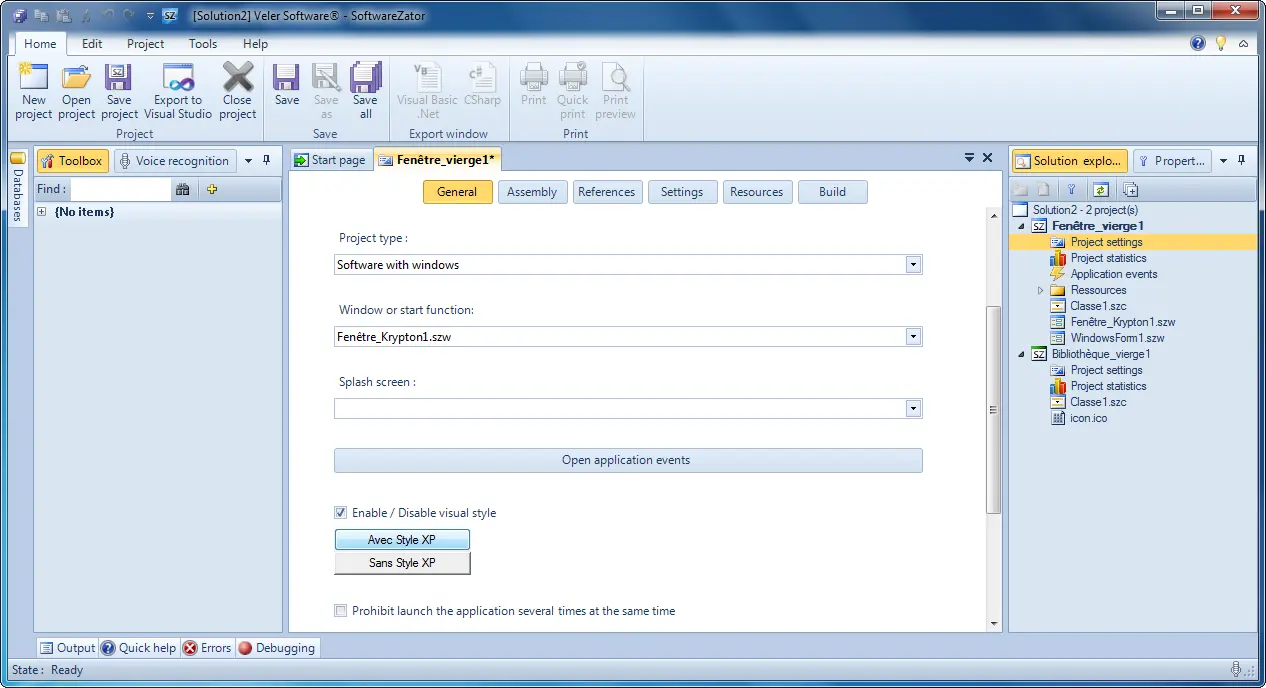
Project settings for configuring a build. -
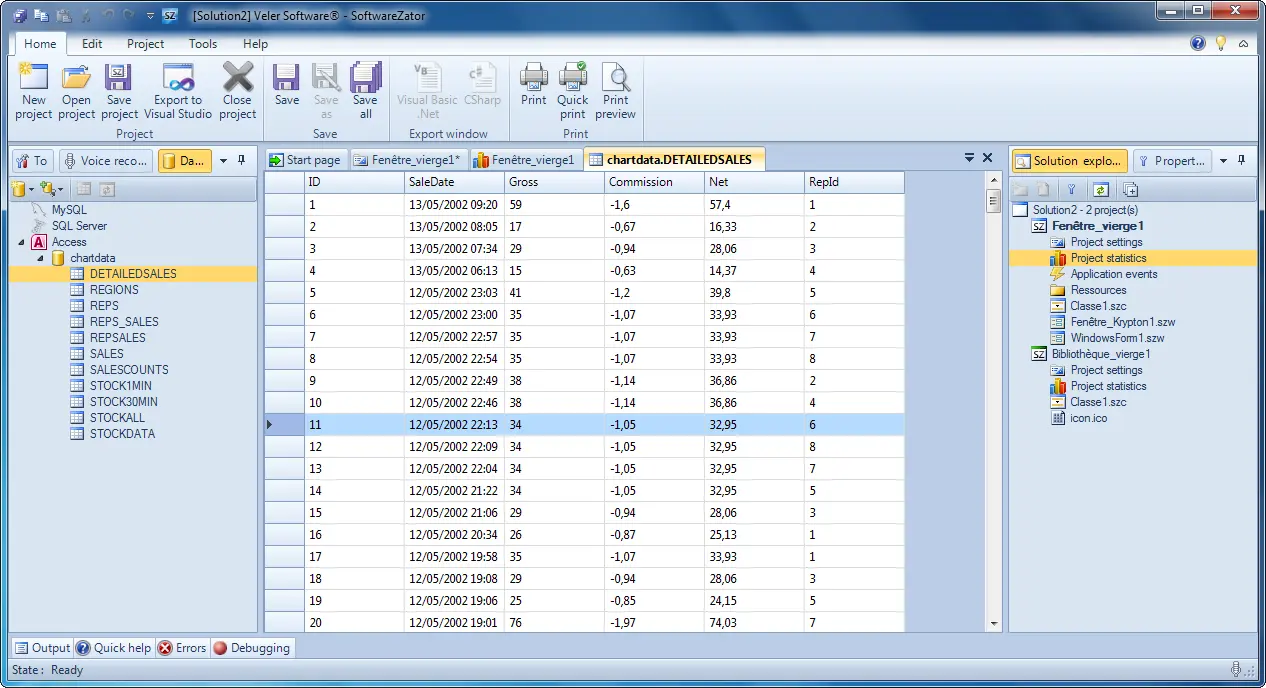
The built-in database manager for data-heavy programs. -
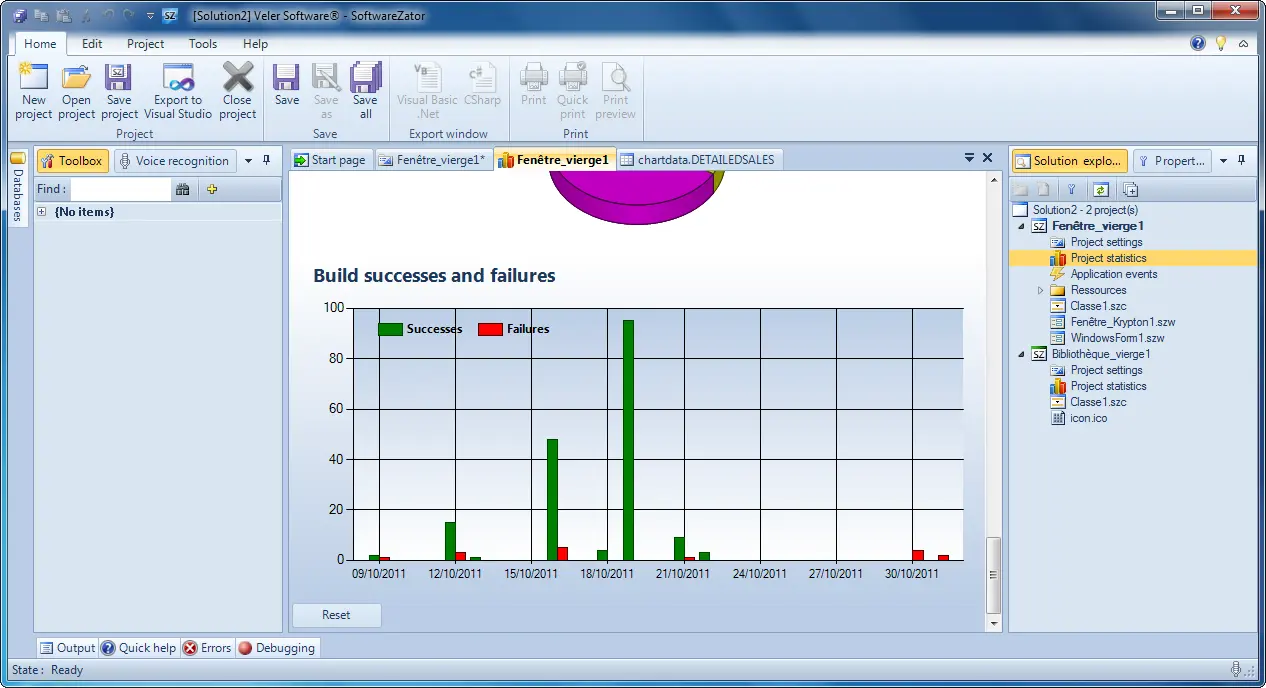
Project statistics that summarise everything a project contains.
Dig into the archive
- Source code on GitHub
- Tutorial video (French)
- Press: Programmez! (French, PDF)
- Press: L'Informaticien (French, PDF)
- The original 2012 site (archived)
Curious archaeologists can grab the legacy 2012 installer. It is unmaintained and built for Windows XP through 8, so it is here for archival use only, not recommended on a modern PC.